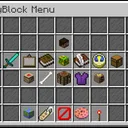
CustomGUI
CustomGUI Plugin
A powerful and flexible custom GUI system for PocketMine-MP 5.x that allows server administrators to create interactive graphical user interfaces with various actions and customizations.
🌟 Features
🎨 Visual GUI Builder
In-game GUI Editor: Create and edit GUIs directly in-game with a visual grid interface
Drag & Drop Interface: Intuitive 6x9 grid layout for easy item placement
Real-time Preview: See your GUI changes instantly as you build
⚡ Action System
Command Actions: Execute server commands when players click items
Teleport Actions: Teleport players to specific coordinates
GUI Navigation: Open other GUIs from within a GUI (nested navigation)
Multiple Actions: Assign multiple actions to a single item slot
📝 Custom Lore System
Dynamic Lore: Add custom titles and descriptions to any item
Interactive Hints: Show additional information on item hover
Rich Text Support: Use color codes and formatting in lore text
🔧 Management Features
GUI Management Menu: Comprehensive in-game GUI management system
Action Management: Add, edit, and remove actions from any slot
Lore Management: Manage custom lore for items
GUI Deletion: Safely remove unwanted GUIs
🚀 Performance & Reliability
Caching System: Server-wide and per-player GUI caching for optimal performance
Database Support: SQLite and MySQL database support for data persistence
Error Handling: Robust error handling with user-friendly messages
Permission System: Granular permission control for different user roles
📋 Requirements
PocketMine-MP: Version 5.0.0 or higher
PHP: Version 8.0 or higher
Database: SQLite (included) or MySQL (optional)
🛠️ Installation
- Download the Plugin
-
Download the latest release from the releases page
-
Extract the plugin files to your server's plugins folder
- Install Dependencies
The plugin includes all necessary libraries:
InvMenu: For inventory menu functionality
libasynql: For database operations
pmforms: For form handling
- Configure the Plugin
-
Start your server once to generate the configuration files
-
Edit plugins/Customgui/config.yml to configure your database settings
-
Restart your server
- Set Up Permissions
Configure permissions in your permission plugin:
permissions: cg.use: description: "Allows use of /customgui command" default: true cg.admin: description: "Allows access to the GUI management menu" default: op
🎮 Usage
Commands
Command Permission Description
/customgui cg.use Opens the main GUI management menu
/customgui <gui_name> cg.use Opens a specific GUI by name
Creating Your First GUI
Access the Management Menu
/customgui
Create a New GUI
-
Select "Create GUI" from the main menu
-
Enter a name for your GUI (e.g., "welcome_menu")
-
Click "Submit"
Design Your GUI
-
Use the 6x9 grid to place items
-
Right-click to place items in slots
-
Items will be saved automatically
Add Actions
-
Click on an item slot to add actions
-
Choose from Command, Teleport, or Open GUI actions
-
Configure the action parameters
Add Custom Lore
-
Add descriptive titles and descriptions to items
-
Use color codes for formatting (e.g., §a for green)
Action Types
Command Actions
Execute server commands when players click items.
type: command command: "spawn"
Teleport Actions
Teleport players to specific coordinates.
type: teleport x: 100.5 y: 64 z: 200.5
Open GUI Actions
Open another GUI when players click items.
type: open_gui gui_name: "shop_menu"
⚙️ Configuration
Database Configuration
The plugin supports both SQLite and MySQL databases:
SQLite (Default)
database: type: sqlite sqlite: file: customgui.sqlite worker-limit: 1
MySQL
database: type: mysql mysql: host: 127.0.0.1 username: your_username password: your_password schema: your_database worker-limit: 2
GUI Storage
GUIs are stored as JSON files in the plugin_data/customgui/guis/ directory. Each GUI has its own file with the structure:
{ "0,0": { "nbt": "item_nbt_data", "action": { "type": "command", "command": "spawn" }, "lore": { "title": "Spawn", "description": "Return to spawn" } } }
🎯 Examples
Welcome Menu GUI
Create a welcome menu with navigation options:
Spawn Button
-
Item: Compass
-
Action: Teleport to spawn coordinates
-
Lore: "§a§lSPAWN§r\n§7Click to return to spawn"
Shop Button
-
Item: Emerald
-
Action: Open GUI "shop_menu"
-
Lore: "§a§lSHOP§r\n§7Click to open the shop"
- Rules Button
- Item: Book
- Action: Command "rules"
- Lore: "§e§lRULES§r\n§7Click to view server rules
Admin Panel GUI
Create an admin panel with management tools:
Player Management
-
Item: Player Head
-
Action: Open GUI "player_management"
-
Lore: "§c§lPLAYER MANAGEMENT§r\n§7Manage players and permissions"
Server Control
-
Item: Redstone
-
Action: Command "server status"
-
Lore: "§c§lSERVER CONTROL§r\n§7View server status and controls"
🔧 Advanced Features
Nested GUI Navigation
Create complex menu systems with multiple levels:
-
Main Menu → Category Menu → Item Menu
-
Each level can have its own actions and navigation
Multiple Actions per Slot
Assign multiple actions to a single item:
{ "action": [ { "type": "command", "command": "spawn" }, { "type": "teleport", "x": 100, "y": 64, "z": 200 } ] }
Dynamic Content
-
GUIs automatically reload when files are modified
-
Cache system ensures optimal performance
-
Real-time updates without server restarts